Zen Doodle
Make your own pattern-filled pages. Customize an outline, leave room to draw, and save a printable PDF or PNG.
About Zen Doodle
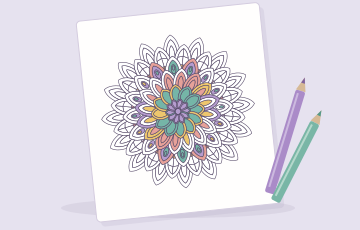
Make space for daily doodles, coloring pages and Zentangle-inspired art. Zen doodle, also written as zendoodle, brings repeated marks together into patterned art. Combine 28 doodle patterns to create your own zendoodle patterns, with editable outlines, colors and angles. Build a design on screen or print a starting outline to fill by hand.
Customize Your Outline
Choose a starting shape and adjust its divisions. Circle, oval, arch, hexagon and square patchwork outlines support organic cells, radial slices, grids and parallel bands, with 4–20 spaces. Change the overall size and outline weight, then fill individual spaces or leave them blank. These controls edit preset geometry; freehand outline drawing and image uploads are not supported.
Printable Patterns and Coloring Pages
Start with an outline to fill by hand, add a few textures and leave other spaces blank, or prepare black-and-white coloring pages. Save your design as a printable PDF or PNG with A4 or US Letter sizing, portrait or landscape orientation, and adjustable margins. The export preview leaves your original artwork unchanged.
Zen Doodle FAQ
How do I print my zendoodle patterns?
Open Save image and choose PDF to preserve your selected paper size for printing, or PNG for an image you can save and use elsewhere. Select outline-only output for a blank drawing template, or black-and-white output for coloring pages with your chosen doodle patterns. Both exports are prepared at 300 dpi. The PDF contains a high-resolution image, not editable vector paths. These export options leave your original colors unchanged.
Will my drawing be saved?
The editor keeps one draft in this browser when local storage is available. Clearing site data can remove it. Undo and redo are available during your session, but their history is not restored after a reload. Download your work to keep a separate copy.